

Сауда
Бәсекеге қабілетті бағалар, жоғары өтімділік және озық сауда құралдары арқылы нарықтардың кең ауқымын зерттеңіз.
Толығырақ 
Платформа
TMGM-нің жылдамдыққа, дәлдікке және жоғары деңгейлі сауда тәжірибесіне арналған қуатты платформасымен сауданы кедергісіз жүргізіңіз.
Толығырақ Сауда платформасы
Академия
Бастауыштарға арналған нұсқаулықтар, вебинарлар және нарық талдаулары сияқты ресурстар арқылы сауданың негіздерін үйреніңіз.
Толығырақ TMGM Академиясы
Жаңалықтар және талдау
Сауда мүмкіндіктерінен алда болу үшін нақты уақыттағы нарық жаңартулары мен сараптамалық талдауды алыңыз
Толығырақ Жаңалықтар және талдау
Туралы
TMGM-ді ерекшелендіретін жайттарды біліңіз — біздің жаһандық ауқымымыз, реттеушілік беріктігіміз және трейдингтегі инновацияларға деген адалдығымыз.
Толығырақ Неліктен TMGM-ді таңдау керек


Сауда
Академиясы
TMGM Академиясымен сауда шеберлігін меңгеріңіз – стратегиялар, нарықтық талдаулар және тәуекелді басқару кеңестері үшін сенімді дереккөз, сауданы ақылдырақ жасауға көмектеседі.
Барлығын көрсету

Trailing Stop: What It Is, How It Works and How to Use It
A trailing stop is a type of stop loss order that automatically adjusts as the market moves in your favour, while staying fixed when price reverses. Also known as a trailing stop loss, it helps traders protect accumulated profits and manage downside risk without manually adjusting their stop loss. This guide explains how trailing stops work, the different types, practical trading examples, and how to set a trailing stop on MT4 and MT5.
Оқуды жалғастыру
32 оқу мин

Butterfly Pattern Trading: How to Identify and Trade the Butterfly Harmonic Pattern
Butterfly pattern trading is the practice of using the butterfly harmonic reversal chart pattern — a five-point XABCD chart pattern defined by specific Fibonacci ratios — to identify potential trend reversal zones and plan entries, stop losses and profit targets. The butterfly pattern is unrelated to the butterfly spread used in options trading, and point D completes beyond the starting point X.
For traders and investors who use technical analysis in forex, stocks, indices and commodities, this guide explains how to recognise the butterfly pattern, confirm its key Fibonacci measurements, and distinguish bullish from bearish setups. It also walks through a four step trade plan, chart identification on platforms such as MT4 and MT5, a worked example with every number checked, how it differs from similar harmonic patterns such as the Gartley, and the main advantages and limitations of trading it.
Оқуды жалғастыру
50 оқу мин

What Is MetaTrader 5 (MT5) and How to Use It
MetaTrader 5, or MT5, is a multi-asset trading platform developed by MetaQuotes for analysing financial markets, placing and managing trades, and running automated trading strategies. Traders connect MT5 to a broker account to receive market prices, access available instruments, submit trading orders, and monitor positions through one trading interface.
Оқуды жалғастыру
36 оқу мин

What Is MetaTrader 4 (MT4) and How Do You Use It?
MetaTrader 4 (MT4) is an electronic trading platform developed by MetaQuotes that traders use through an online broker to view market prices, analyse charts, place and manage trades, and run automated trading programs called Expert Advisors. MT4 is trading software, not a broker, and it does not hold trader funds.
Оқуды жалғастыру
31 оқу мин
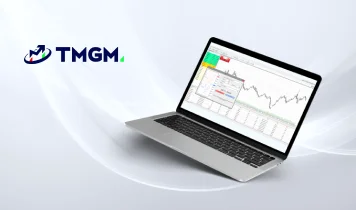
How to Use MT5 on Mac – Beginner’s Step-by-Step Guide to MT5
MetaTrader 5 (MT5) is a next-generation trading platform that builds on the successes of the ever-popular MetaTrader 4 (MT4) platform. It offers a broader range of advanced charting tools, additional timeframes, more pending order options, and the ability to trade multiple asset classes, making it the preferred choice for professional and beginner traders. The best part for Mac users? MT5 has been natively developed for macOS, ensuring a smoother and more reliable experience and no need for third-party software, unlike its predecessor, MT4.
This comprehensive guide will explain everything you need to know about setting up and using MT5 on your MacBook or Macintosh Desktop. From exploring the user interface to offering helpful navigation tips and step-by-step instructions on placing trades, this guide will help you unlock the full potential of MT5’s powerful features.
Whether transitioning from MT4 or starting fresh, this step-by-step guide will help take your macOS trading experience to new heights with the added flexibility and tools MT5 offers.
Оқуды жалғастыру
21 оқу мин
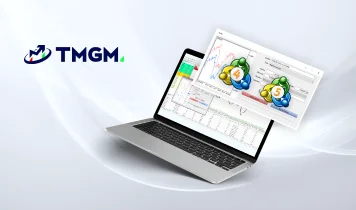
MT4 vs MT5: What Is the Difference and Which Is Better in 2026?
MetaTrader 4 and MetaTrader 5 are separate trading platforms developed by MetaQuotes. MT4 is primarily associated with traditional forex trading workflows, while MT5 provides more timeframes, analytical tools, pending order types, position accounting options and a more capable strategy testing environment. MetaQuotes officially lists 9 timeframes and 30 built in indicators for MT4, compared with 21 timeframes and 38 built in indicators for MT5.
Оқуды жалғастыру
38 оқу мин
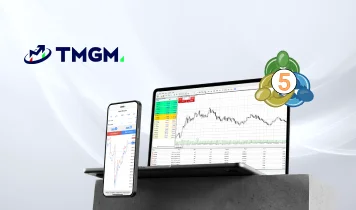
MetaTrader 5 (MT5) Indicators and Add-Ons: Enhance Your Trading Experience
MetaTrader 5 (MT5) is one of the most powerful online trading platforms in the world. The brainchild of MetaQuotes, who designed and built the hugely successful forex trading platform, MetaTrader 4 (MT4), MT5 allows you to trade directly on exchanges and with futures contracts. So, although the MetaTrader brand is historically associated with forex, its latest version is designed for retail traders to broaden the asset classes they trade.
The MetaTrader 5 (MT5) trading platform is an industry-leading piece of trading kit out of the box, but there are many ways to fine-tune the software to your benefit.
Within this page, we’ll briefly explain the types of trading indicators and add-ons you can adopt to identify potential opportunities that suit your trading strategies.
Оқуды жалғастыру
16 оқу мин
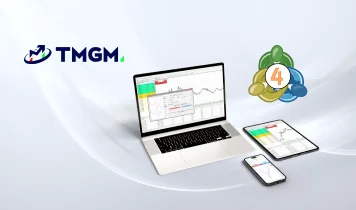
MT4 Indicators, Add Ons, Plugins and Custom Indicator
What is MetaTrader 4? MetaTrader 4 (MT4) is an online trading platform that provides retail traders with access to a variety of financial markets, including forex and commodities.
Technical analysis is the heartbeat of modern trading, and at the center of that ecosystem is the MetaTrader 4 (MT4) platform. While the platform itself provides a robust foundation for executing trades, the real power for most retail investors lies in the vast library of over 2,000 indicators available for trading. These tools allow you to strip away the noise of the market and focus on the data that truly matters for your specific goals. It remains the most popular platform for retail traders. Why? Because it’s more than a gateway to financial markets.
MetaTrader 4 offers a powerful suite of inbuilt tools and features designed to empower you to make better informed decisions as a trader.Another compelling feature of MT4 is the customisability through third-party add-ons allowing you to tailor your trading experience to your preferences, which we’ll explore in this guide. We’re not going to show you how to trade forex using MetaTrader 4. The objective of this guide is to highlight the features and add-ons that are available. If you’re completely new to trading, check out our guide on how to use MT4, then come back here to see how you can get maximum value from the software.
Оқуды жалғастыру
17 оқу мин
How to Use MetaTrader 5 on Mobile App: A Step-by-Step Guide for iPhone iOS & Android
MetaTrader 5 (MT5) is a next-generation trading platform that builds on the successes of the ever-popular MetaTrader 4 (MT4) platform. It offers traders more advanced charting tools, expanded timeframes, more pending order types, and the ability to trade multiple asset classes. MT5 is available on mobile devices for iPhone and Android, providing traders with the flexibility to manage trades and monitor markets on the go.
This guide will show you how to download, install, and use MT5 on your mobile device to start trading with TMGM. Whether managing trades, analyzing charts, or staying updated with real-time market data, MT5 mobile ensures you're connected to the markets wherever you are.
Оқуды жалғастыру
14 оқу мин
Көбірек көру


1 000 000-нан астам клиент біздің марапатталған сауда платформамызға қосылды
1
Тірі
шотқа өтініш беру
шотқа өтініш беру
2
Шотыңызды
толықтыру
толықтыру
3
Сауданы бірден
бастаңыз
бастаңыз
Шот ашу
Алда болыңыз TMGM-нің нарықтық талдаулары мен сараптамасымен



Бастау!
Тіркеліп, 3 минуттан аз уақытта жаһандық нарықтарға қол жеткізіңіз

Бізбен байланысыңыз









Байланыстар
Телефон: +61 2 8036 8388
Факс: +61 2 8036 8388
Эл. пошта: support@tmgm.com



Осы веб-сайтта берілген ақпарат тек жалпы сипатта ғана ұсынылады және жеке қаржылық кеңес болып табылмайды. Осы веб-сайттағы кез келген ақпаратқа сүйенбес бұрын, оның сіздің мақсаттарыңызға, қаржылық жағдайыңызға және қажеттіліктеріңізге сәйкестігін бағалауыңыз керек. CFD және FX Margin Contracts-қа инвестиция салу елеулі тәуекелдермен байланысты және барлық инвесторлар үшін қолайлы емес. Сіз бастапқы салымыңыздан артық қаражат жоғалтуыңыз мүмкін. Сіз базалық активке ешқандай меншік құқығына немесе үлеске ие болмайсыз. Сауда жасамас бұрын тәуелсіз кеңес алуды және тәуекелдерді толық түсінуді ұсынамыз. Веб-сайтта көрсетілген кез келген өнімді сатып алмас бұрын, ақпараттық құжатты оқып, оны мұқият қарастыру маңызды. Осы веб-сайтта ұсынылған ақпарат пен жарнамалар жергілікті заңдар мен ережелерге қайшы келетін кез келген елде немесе юрисдикцияда тұратын адамдардың пайдалануына арналмаған. Осы веб-сайтта ұсынылатын Өнімдер мен Қызметтер Америка Құрама Штаттары, Малайзия және Таиланд тұрғындарына арналмаған.
TMGM әртүрлі юрисдикцияларда уәкілетті және реттеледі.
Trademax Australia Limited, TMGM атауымен жұмыс істейді, Австралияның Бағалы қағаздар және инвестициялар жөніндегі комиссиясымен (ASIC) реттеледі, AFSL № 436416 және мына мекенжайда орналасқан: Level 28, One International Tower, 100 Barangaroo Avenue, 2000 Sydney, NSW Australia.
Электрондық пошта: support@tmgm.com.au
Trademax Global Limited, TMGM атауымен жұмыс істейді, Вануату Қаржылық қызметтер комиссиясымен (VFSC) уәкілетті және реттеледі, тіркеу нөмірі 40356, тіркелген мекенжайы: 1276, Kumul Highway, Port Vila, Vanuatu, Republic of Vanuatu.
Электрондық пошта: support@tmgm.com
Trademax Global Markets (SE) Limited, TMGM атауымен жұмыс істейді, Сейшел аралдарының Қаржылық қызметтер басқармасы (FSA) тарапынан уәкілетті және реттеледі, лицензия нөмірі SD224. Компания мына мекенжайда тіркелген: Office No 13, Providence Estate ABIS Centre, Mahe, Seychelles.
Электрондық пошта: support@tmgm.com
Trademax Global Markets (International) Pty Ltd, TMGM атауымен жұмыс істейді, Mauritius Қаржылық қызметтер комиссиясымен (FSC) № GB22201012 лицензиясы бойынша уәкілетті және реттеледі, тіркелген мекенжайы: 33, Edith Cavell Street C/o IQ EQ Fund Services (Mauritius) Ltd Port Louis, 11324 Mauritius.
Электрондық пошта: support@tmgm.com
Авторлық құқық © TMGM. Барлық құқықтар қорғалған